
On this page
Best Accounting Software for Small Businesses in 2026
SaaS Lasso Editorial·
Best accounting software for small businesses in 2026
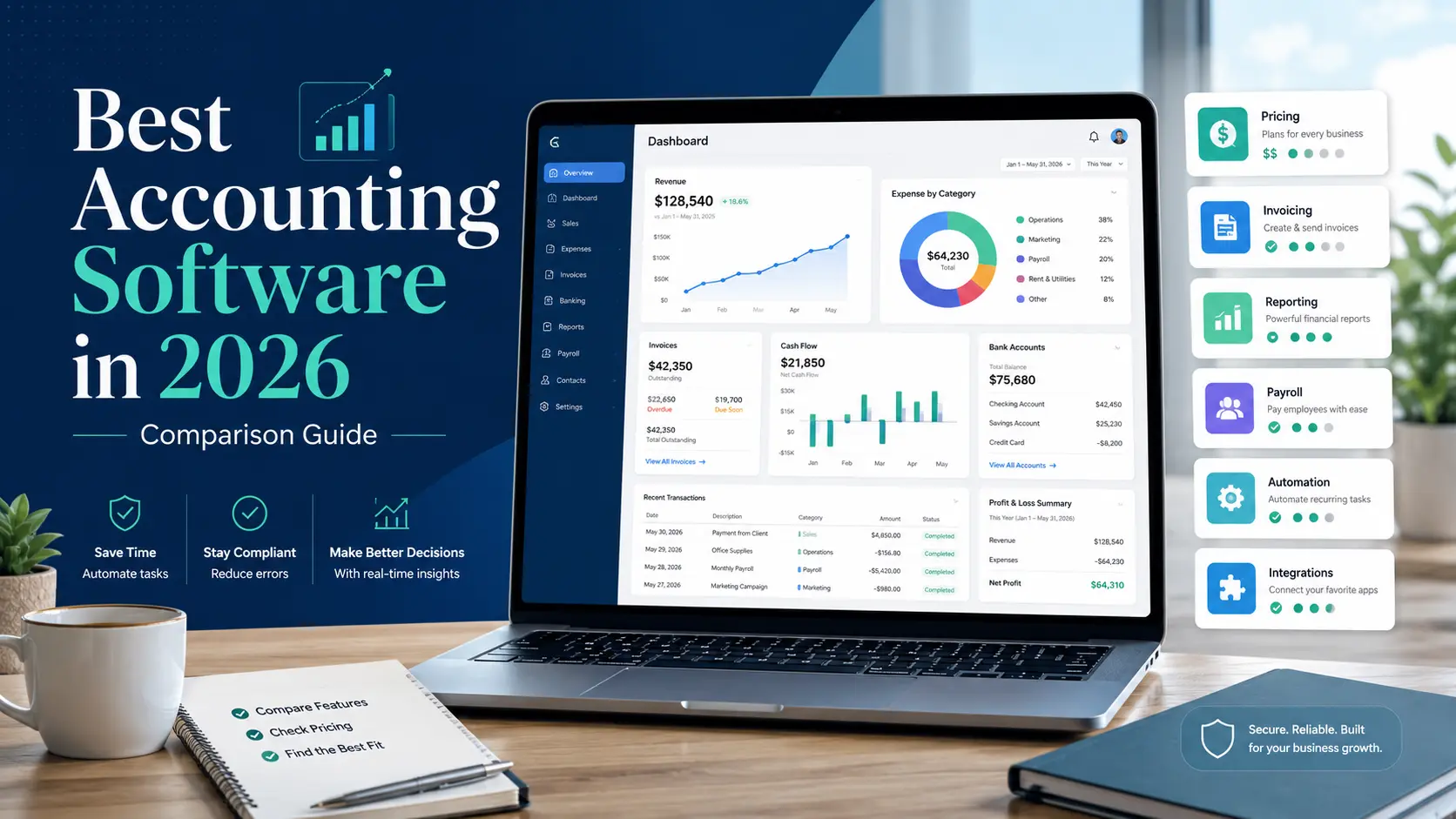
Most small business owners do not wake up excited to pick accounting software. Fair enough. The software is usually bought under pressure: tax season is getting close, the spreadsheet is getting ugly, or the bank account no longer tells the whole story.
That is also why so many businesses pick the wrong tool.
Accounting software is not just a place to store receipts. It becomes the place where your sales, expenses, payroll, tax records, invoices, bills, inventory, and cash flow all meet. If the setup is bad, the reports are bad. If the reports are bad, the business owner starts making decisions from vibes and bank balances.
That works for a while. Then it gets expensive.
A cheap accounting subscription can turn into a $5,000 cleanup project if the chart of accounts is a mess, bank rules were trained incorrectly, invoices were posted inconsistently, or nobody reconciled the accounts for six months. The software did not necessarily fail. The system around it failed.
This guide compares QuickBooks Online, Xero, FreshBooks, Zoho Books, Wave, and Sage 50 from the angle that matters most: what kind of business should actually use each one.
Pricing note: software companies change discounts constantly. Treat the pricing below as a working comparison based on public list pricing, not as a quote. Always check the vendor's current pricing page before buying.
Quick answer
If you want the safest default for a typical US small business, start with QuickBooks Online.
If you want a cleaner, more modern workflow with broad team access, look at Xero.
If you are a freelancer or service business that mostly needs invoicing, time tracking, and client billing, FreshBooks may feel better than a traditional accounting system.
If you want a lot of features for the price and you are comfortable with the Zoho ecosystem, Zoho Books is hard to ignore.
If the business is tiny and cost is the main issue, Wave can be enough.
If you need heavier accounting, inventory, job costing, and a more traditional desktop-style workflow, Sage 50 still has a place.
None of these tools is "best" in the abstract. The best choice depends on how messy your business is becoming.
Quick comparison
| Product | Best fit | Typical public pricing | Why people choose it | Main drawback |
|---|---|---|---|---|
| QuickBooks Online | US small businesses that want easy CPA and bookkeeper handoff | Simple Start $38/mo; Essentials $75/mo; Plus $115/mo; Advanced $275/mo | Huge accountant ecosystem, strong payroll options, broad app support | Gets expensive as you need more users, payroll, inventory, projects, or advanced reporting |
| Xero | Tech-forward businesses that want clean collaboration | Early $25/mo; Growing $55/mo; Established $90/mo | Good bank reconciliation, no per-user license fees, strong integrations | Some US bookkeepers still prefer QuickBooks |
| FreshBooks | Freelancers, consultants, agencies, and service businesses | Lite $23/mo; Plus $43/mo; Premium $70/mo; Select custom | Excellent invoicing, proposals, retainers, time tracking, and client billing | Not ideal for inventory-heavy or accounting-complex businesses |
| Zoho Books | Cost-conscious businesses that still need real features | Free; paid plans from $20/mo to $275/mo | Strong value, automation, inventory on higher tiers, good fit with Zoho apps | Works best if you are willing to live in Zoho's way of doing things |
| Wave | Microbusinesses, side businesses, and simple freelancers | Starter $0; Pro $190/year | Free or low-cost bookkeeping basics | Easy to outgrow |
| Sage 50 | Businesses with inventory, job costing, or in-house bookkeeping | Starts around $124/mo | More traditional accounting depth | Heavier and less modern than cloud-first tools |
The mistake: buying accounting software like it is a receipt bucket
A lot of small businesses buy accounting software for one reason: taxes.
That is understandable, but it is too narrow. The right accounting system should help answer basic operating questions throughout the year:
Are customers paying on time?
Which services are profitable?
Is payroll eating more cash than expected?
Are margins slipping?
Are inventory purchases tying up too much money?
Which location, department, project, or product line is carrying the business?
Can the owner look at the profit and loss statement and trust it?
That last one matters more than people think. If the reports are not reliable, the software becomes decorative. You still have a subscription, but you are not really managing from the numbers.
The cheap plan trap
The lowest tier is tempting. It is also where a lot of bad decisions start.
A $20 or $30 monthly plan may be fine if the business is simple. But if you need inventory, project profitability, class tracking, location tracking, bill approvals, payroll, or more than one or two users, the starter plan may force workarounds almost immediately.
Those workarounds are where the damage happens.
You start tracking inventory in a spreadsheet. You create too many expense accounts because the software does not support another reporting dimension. You use customer names to track projects. You manually adjust invoices because the recurring billing workflow is weak. You avoid reconciling because the bank feed imported duplicate transactions.
Then the books technically exist, but nobody trusts them.
A better rule: buy for the business you will have in twelve months, not the cheapest version of the business you have today.
What to decide before you compare products
Before watching demos or starting free trials, answer a few plain questions.
How many transactions hit the books every month?
Do you invoice clients, sell products, run subscriptions, collect retainers, or take deposits?
Do you have payroll?
Do you need inventory?
Do you need to track profitability by project, location, class, department, fund, or product line?
Who will touch the system besides the owner?
Does your CPA or bookkeeper strongly prefer one platform?
What happens if you need to export everything and leave?
These questions are boring. They are also the difference between a clean setup and a six-month accounting mess.
 QuickBooks Online
QuickBooks Online is the default choice for many US small businesses for one simple reason: almost everyone in the small business accounting world knows it.
That does not make it perfect. It does make it practical.
If you are going to hand your books to an outside bookkeeper, CPA, tax preparer, or fractional controller, QuickBooks usually creates the least friction. Most accounting firms have workflows built around it. Many third party apps integrate with it. Payroll, 1099s, inventory, classes, locations, projects, and reporting are all available, although not always on the cheapest plan.
QuickBooks Online pricing
| Plan | List price | User limit | Best use |
|---|---|---|---|
| Simple Start | $38/mo | 1 user plus accountant access | Basic income, expenses, invoices, payments, and tax reports |
| Essentials | $75/mo | 3 users plus accountant access | Bills, more users, time, and stronger reporting |
| Plus | $115/mo | 5 users plus accountant access | Inventory, budgets, project profitability, classes, and locations |
| Advanced | $275/mo | 25 users plus accountant access | Larger teams, dashboards, workflows, custom reporting, and more control |
For many growing businesses, QuickBooks Online Plus is the real starting point. Simple Start is fine for basic books, but Plus is where inventory, project profitability, budgets, class tracking, and location tracking become available.
That pricing jump matters. It is one reason owners sometimes start too low and then get annoyed when the features they assumed were "basic accounting" sit behind a higher plan.
Where QuickBooks works well
QuickBooks is a good fit when accountant compatibility matters. That is not a small thing. If your tax preparer can review the books quickly, make adjusting entries, and get what they need without teaching themselves a new system, you may save more in professional fees than you spend on the subscription.
It also works well for businesses that expect to grow into payroll, inventory, project tracking, or more formal reporting. The ecosystem is broad enough that you can usually find an app, advisor, or workaround.
Where QuickBooks gets frustrating
QuickBooks can get expensive quickly. Payroll adds another monthly base fee and per-employee cost. Some features require higher tiers. The user limits matter if several people need access.
The other frustration is that QuickBooks can feel like it is constantly nudging you toward upgrades, add-ons, and adjacent Intuit products. Some businesses are fine with that because the ecosystem is convenient. Others get tired of it.
Best fit
Choose QuickBooks Online if you want the safest mainstream option for a US small business, especially if you already work with an outside CPA or bookkeeper.
Poor fit
Avoid QuickBooks Online if you are highly price-sensitive, need lots of users at a low cost, or want a cleaner integration-first workflow.
 Xero
Xero
Xero feels different from QuickBooks. It is still real accounting software, but the workflow is cleaner and more modern in a way many operators appreciate.
The big practical advantage is user access. Xero does not price its core plans around tight per-user limits the way many systems do. That matters if the owner, bookkeeper, accountant, operations manager, and admin support all need to touch the books.
Xero is also strong on bank reconciliation, integrations, and document capture. For teams that care about clean operating workflows, it can be easier to live with day to day.
Xero pricing
| Plan | List price | Best use |
|---|---|---|
| Early | $25/mo | Very small businesses with low invoice and bill volume |
| Growing | $55/mo | Most small businesses with normal invoicing, bills, reconciliation, and reporting |
| Established | $90/mo | Businesses that need multi-currency, projects, expenses, KPI analysis, and forecasting |
The Early plan is limited. It can work for a very small business, but most active businesses should look at Growing or Established. Established is where Xero becomes more useful for businesses with projects, expenses, multi-currency needs, and more advanced cash flow visibility.
Where Xero works well
Xero is a strong fit for tech-forward service businesses, ecommerce operators, agencies, and professional firms. It is especially appealing when multiple people need access and the business owner cares about a cleaner workflow.
Xero also pairs with Gusto for US payroll instead of trying to do everything inside one native payroll product. Some owners like that. Some prefer QuickBooks because they want accounting and payroll under the same vendor.
Where Xero gets frustrating
The biggest issue is not usually the software. It is the people around the software.
In the US, many bookkeepers and CPAs are still QuickBooks-first. Some are perfectly comfortable with Xero. Others tolerate it. A few will quietly push you back toward QuickBooks because their internal workflows are built there.
Inventory can also require more thought. Xero can handle basic inventory needs, but more serious product businesses may need an add-on or a different system.
Best fit
Choose Xero if you want clean collaboration, good integrations, and modern cloud accounting without worrying as much about user limits.
Poor fit
Avoid Xero if your bookkeeping support is strongly QuickBooks-only and you do not want to manage that friction.
 FreshBooks
FreshBooks is the easiest product in this group to misunderstand.
It is not trying to be the strongest general ledger for every type of business. It is built around getting service businesses paid. Invoices, estimates, proposals, retainers, time tracking, client communication, and payment collection are the main draw.
For a freelancer or small agency, that can be exactly right.
FreshBooks pricing
| Plan | Regular price | Client limit | Best use |
|---|---|---|---|
| Lite | $23/mo | 5 billable clients | Very small freelance practice |
| Plus | $43/mo | 50 billable clients | Growing solo consultant or small service business |
| Premium | $70/mo | Unlimited clients | Established service business |
| Select | Custom | Unlimited clients | Higher-volume teams that want custom pricing and support |
FreshBooks is often a better daily experience than traditional accounting software for someone who bills time, sends proposals, collects deposits, and wants clients to pay quickly.
Where FreshBooks works well
FreshBooks is good at the front end of the accounting cycle. It helps you create the estimate, turn it into an invoice, track time, collect payment, and keep the client relationship organized.
For consultants, designers, writers, marketers, attorneys, agencies, and other service providers, that matters. The accounting system is not just where transactions land. It is part of the sales and billing process.
Where FreshBooks gets limited
FreshBooks is less compelling when the business becomes accounting-heavy.
If you need inventory, departmental reporting, class tracking, location reporting, purchase orders, job costing, or more formal finance operations, FreshBooks starts to feel light. It may still work, but you may find yourself building too many side systems around it.
Team members and payroll can also add cost, so do not compare only the base plan.
Best fit
Choose FreshBooks if your business is mostly client billing, time tracking, proposals, retainers, and service revenue.
Poor fit
Avoid FreshBooks if the business has inventory, multiple locations, complex reporting, or a CPA who wants a more traditional accounting file.
 Zoho Books
Zoho Books is the value pick, but that undersells it a little.
It is not just cheap software. It is a capable accounting system with a lot of features packed into the price. If you already use Zoho CRM, Zoho Projects, Zoho Inventory, or other Zoho apps, the case gets stronger.
Zoho Books is the option to study when QuickBooks feels expensive, Xero feels a little too lean, and Wave feels too basic.
Zoho Books pricing
| Plan | Monthly price | Annual-billing equivalent | Best use |
|---|---|---|---|
| Free | $0 | $0 | Very small businesses that qualify for the free plan |
| Standard | $20/mo | $15/mo billed annually | Core bookkeeping, bank feeds, reports, and API access |
| Professional | $50/mo | $40/mo billed annually | Inventory, sales orders, purchase orders, projects, retainers, and workflows |
| Premium | $70/mo | $60/mo billed annually | Fixed assets, budgets, cash flow forecasting, and custom modules |
| Elite | $150/mo | $120/mo billed annually | Advanced inventory and ecommerce needs |
| Ultimate | $275/mo | $240/mo billed annually | Advanced analytics and higher-volume reporting needs |
The important plan is Professional. That is where Zoho Books becomes a more serious operating system for businesses that need inventory, purchase orders, sales orders, project profitability, retainers, workflow rules, and custom roles.
Where Zoho Books works well
Zoho Books is strong for owners who want more features without immediately jumping into higher-priced accounting software. It is especially useful if you are already comfortable with Zoho products.
The automation features are also worth paying attention to. Small businesses often waste time on repeat accounting tasks: payment reminders, recurring expenses, approval steps, invoice follow-ups, and report distribution. Zoho is better than many competitors at turning those into workflows.
Where Zoho Books gets frustrating
Zoho has its own ecosystem and its own way of doing things. That is fine if you like Zoho. It is annoying if you do not.
The other issue is advisor support. You can find Zoho-capable accountants, but QuickBooks still has the larger US small business advisor base. If your CPA or bookkeeper is not comfortable with Zoho, the software savings may get eaten up in training, cleanup, or inefficient handoff.
Best fit
Choose Zoho Books if you want strong accounting features for the price and you are comfortable building around the Zoho ecosystem.
Poor fit
Avoid Zoho Books if your outside accountant is QuickBooks-only or if you dislike Zoho's broader app environment.
 Wave
Wave
Wave is the "just get organized" option.
That is not meant as an insult. A free bookkeeping system is much better than a half-maintained spreadsheet and a pile of receipts. For a tiny business, Wave can be enough.
The trick is knowing when it stops being enough.
Wave pricing
| Plan | Price | Best use |
|---|---|---|
| Starter | $0 | Basic bookkeeping, invoices, estimates, bills, and records |
| Pro | $190/year | Small operators that want bank imports, receipt capture, automation, and better payment features |
Wave makes sense when the business is simple, transaction volume is low, and the owner mainly needs invoices, expense tracking, and basic reports.
Where Wave works well
Wave is good for freelancers, tiny service businesses, side businesses, and early-stage owners who are not ready to pay for a bigger accounting stack.
It lowers the barrier to getting the books out of a spreadsheet. That alone has value.
Where Wave gets limited
Wave is easy to outgrow.
Once you need payroll complexity, inventory, project profitability, approval workflows, advanced reporting, multiple departments, or strong third party integrations, Wave starts to feel small. At that point, the free plan may be saving dollars while costing you visibility.
Best fit
Choose Wave if your business is very small and the alternative is no real bookkeeping system at all.
Poor fit
Avoid Wave if you already have employees, inventory, job costing, multiple locations, or reporting needs beyond basic tax records.
 Sage 50
Sage 50 is different from the cloud-first products in this guide. It feels more traditional. For some businesses, that is a drawback. For others, it is exactly the point.
A company with inventory, job costing, purchase orders, internal bookkeeping staff, and a preference for desktop-style control may find Sage 50 more comfortable than a lightweight cloud accounting app.
Sage 50 pricing
| Plan | Starting price | Best use |
|---|---|---|
| Pro Accounting | Around $124/mo | Smaller businesses that need stronger accounting depth |
| Premium Accounting | Around $169/mo and up | Businesses that need more users, reporting, and controls |
| Quantum Accounting | Around $253/mo and up | More complex small businesses that need deeper accounting features |
Where Sage 50 works well
Sage 50 can make sense for businesses that are too operationally complex for simple cloud accounting but not ready for a full ERP. Inventory, job costing, purchase orders, and more traditional accounting workflows are the main reasons to consider it.
It is not trendy. That is fine. Some businesses do not need trendy. They need control.
Where Sage 50 gets frustrating
Sage 50 is heavier than the other tools in this guide. It may feel clunky if you want a clean browser-first workflow, fast app integrations, and easy collaboration with a remote team.
It also assumes the business has someone who can own the accounting system. If nobody internally understands the workflow, Sage can become overkill.
Best fit
Choose Sage 50 if you need traditional accounting depth, inventory, job costing, and internal bookkeeping control.
Poor fit
Avoid Sage 50 if you want the simplest cloud accounting experience.
Feature comparison
| Need | QuickBooks Online | Xero | FreshBooks | Zoho Books | Wave | Sage 50 |
|---|---|---|---|---|---|---|
| US accountant familiarity | Excellent | Good, but less universal | Moderate | Moderate | Moderate | Good in traditional environments |
| Low starting cost | Moderate | Moderate | Moderate | Strong | Strong | Weak |
| Invoicing | Strong | Strong | Excellent | Strong | Good | Strong |
| Time tracking | Available by plan or add-on | Available through plan or apps | Strong | Available | Limited | Available depending on setup |
| Payroll | Strong native add-on | Gusto partnership | Add-on | Depends on region and integration | Separate payroll options in some cases | Available depending on setup |
| Inventory | Plus and above | Basic or add-on | Weak | Professional and above | Weak | Strong |
| Project profitability | Plus and above | Established | Premium and above | Professional and above | Weak | Strong |
| Multi-currency | Plan-dependent | Established | Not a main strength | Professional and above | Weak | Setup-dependent |
| Multiple users | Limited by plan | Strong | Extra team members may cost more | Good for the price | Fine for simple use | Plan-dependent |
| App ecosystem | Very strong | Strong | Good for service workflows | Strong inside Zoho | Limited to moderate | More traditional |
| Best overall for complex small business accounting | Strong on Plus or Advanced | Strong for cloud workflows | Moderate | Strong value | Weak | Strong |
Best choice by business type
Solo consultant or freelancer
Start with FreshBooks, Wave, Zoho Books, or QuickBooks Simple Start.
FreshBooks is the nicest fit if you send proposals, track time, invoice clients, and want the billing experience to feel easy.
Wave is fine if the business is small and price matters most.
Zoho Books is a good middle ground if you want more accounting features without paying QuickBooks pricing.
QuickBooks Simple Start makes sense if your CPA prefers it and you want the cleanest tax-time handoff.
Growing service business
Start with QuickBooks Online Plus, Xero Growing or Established, Zoho Books Professional, or FreshBooks Premium.
At this stage, payroll, recurring bills, contractors, retainers, project profitability, and reporting start to matter. The cheapest plan is usually not the right plan anymore.
QuickBooks is the safe accountant-friendly choice.
Xero is better if you want clean collaboration and multiple people in the system.
Zoho Books gives you a lot for the money.
FreshBooks still works if the business is mostly client billing and time-based work.
Ecommerce, retail, or inventory business
Start with QuickBooks Online Plus, Zoho Books Professional or Elite, Sage 50, or Xero with inventory support.
Inventory changes the decision. You need to know what you bought, what you sold, what is still on hand, and what it cost. A basic invoicing tool will not be enough for long.
QuickBooks Plus is a common choice.
Zoho Books is compelling if you want inventory and workflows at a lower price.
Sage 50 is worth a look if inventory and job costing are central to the business.
Xero can work, but you may need add-ons depending on complexity.
Business preparing for formal finance operations
Start with QuickBooks Online Advanced, Xero Established, Zoho Books Premium or Elite, or Sage 50 Quantum.
If you are adding a controller, tracking departments, managing approvals, using budgets, measuring KPIs, or preparing for more serious reporting, the software decision becomes less about bookkeeping and more about finance operations.
This is where bad setup gets expensive. Do not cheap out here unless the business is still genuinely simple.
The costs that do not show up in the headline price
The subscription is only part of the cost.
Model the full monthly cost before you decide:
| Cost | Why it matters |
|---|---|
| Base subscription | The advertised monthly plan |
| Payroll | Often a base fee plus per-employee pricing |
| Payment processing | Card and ACH fees can exceed the software cost |
| Extra users | Some tools charge more as the team grows |
| Time tracking | May require a higher plan or add-on |
| Inventory | Often locked behind higher tiers |
| Receipt capture | Sometimes included, sometimes metered |
| Implementation | Setup, chart of accounts, bank feeds, opening balances |
| Cleanup | Fixing bad historical data is expensive |
| Migration | Moving systems takes planning and validation |
| Advisor support | Bookkeeper, CPA, controller, or consultant time |
A $25 product is not cheaper than a $75 product if it creates five hours of manual work every month.
Data portability matters
This part is easy to ignore because it feels like a future problem.
It is not.
Before you commit to an accounting system, test what you can export. At minimum, you should know how to get the following out of the system:
| Export | Why it matters |
|---|---|
| Chart of accounts | Needed for cleanup and migration |
| General ledger | Core transaction history |
| Trial balance | Year-end tie-out |
| Customer list | Accounts receivable and CRM matching |
| Vendor list | Accounts payable and 1099 support |
| Open invoices | Needed if you migrate mid-year |
| Open bills | Needed to keep payables accurate |
| Products and services | Important for invoicing and inventory |
| Receipts and attachments | Useful for tax support and audits |
Accounting software is sticky. That is not always bad, but you should never be trapped because exporting your own data is harder than expected.
Implementation is where most businesses go wrong
Most accounting software problems start before the first transaction is reconciled.
The chart of accounts is usually the first failure point. Owners create duplicate accounts, vague accounts, hyper-specific accounts, or categories that make sense for taxes but not for managing the business.
Then automation makes the mess bigger. Bank rules start assigning expenses to the wrong places. Recurring transactions get copied without review. Payment processor deposits get posted incorrectly. Transfers show up as income. Loan payments get treated as expenses. Sales tax gets mixed into revenue.
None of this feels dramatic at first. The reports still run. They just quietly become less useful.
Before turning on too much automation, decide who owns the following:
Who approves new accounts in the chart of accounts?
Who reviews uncategorized transactions?
Who reconciles bank and credit card accounts?
Who reviews payroll entries?
Who checks that loan payments are split correctly between principal and interest?
Who reviews accounts receivable and accounts payable?
Who closes the month?
Who talks to the CPA when something looks wrong?
Software helps, but it does not replace ownership.
Final recommendation
For most traditional US small businesses, QuickBooks Online is still the safest default. It has the strongest accountant ecosystem, the broadest support network, and enough features to carry many businesses for years.
For businesses that want a cleaner cloud workflow and better team access, Xero is the most credible alternative.
For freelancers and client-service businesses, FreshBooks may be the better day-to-day tool because billing is where the work starts.
For owners who want the most features for the price, Zoho Books deserves a serious look.
For very small businesses, Wave is a reasonable first step.
For inventory-heavy or job-costing-heavy businesses that want more traditional accounting depth, Sage 50 still belongs in the conversation.
The right answer depends less on brand preference and more on business complexity. A simple business should not buy a finance system it will never use. A complicated business should not pretend a starter plan will stay clean forever.
Quick next step
Do not start with a free trial.
Start with a one-page requirements map:
- Monthly transaction volume
- Revenue streams
- Payroll needs
- Inventory needs
- Project, class, department, location, or fund tracking needs
- Must-have reports
- Must-have integrations
- Bookkeeper or CPA preference
- Expected needs twelve months from now
- Export plan if you need to leave
Then compare software against that list.
The demo is designed to make the product look easy. Your requirements map is what keeps you honest.
If this saved you time or helped you make a better buying decision, you can support the work.
Support the WorkNo PayPal account needed.