
On this page
The Best Donor Management Software (CRM) Guide
SaaS Lasso Editorial·
Nonprofit leaders often approach choosing a CRM as a feature-hunting exercise. They want to know who has the best tax receipt templates or the prettiest dashboard.
But you are not buying features. You are buying a system to manage householding, automate tax-receipt compliance, and prevent donor attrition. Choose wrong, and your team will spend hours manually deduplicating records instead of building relationships.
The problem and business consequence
The cost of a bad donor CRM is rarely just the subscription price. It's the hidden RevOps burden of wrestling with software that doesn't natively understand how nonprofits work.
When your CRM cannot handle complex householding—like tracking when a donor gives individually, gives through their family foundation, and serves on a corporate board—you lose visibility. And when tax-receipt compliance is a manual export-and-mail-merge process, you risk alienating major donors with sloppy, late acknowledgments.
Who should avoid this comparison
- Volunteer-led organizations raising less than $50k annually (stick to spreadsheets or free tiers of basic tools).
- Mega-nonprofits with dedicated, in-house Salesforce developer teams.
- Organizations that have not yet defined their donor acknowledgment process.
If you don't know your baseline process for thanking a donor, buying software won't fix it.
Buyer-fit scoring: Bloomerang vs. Little Green Light vs. Salesforce NPSP
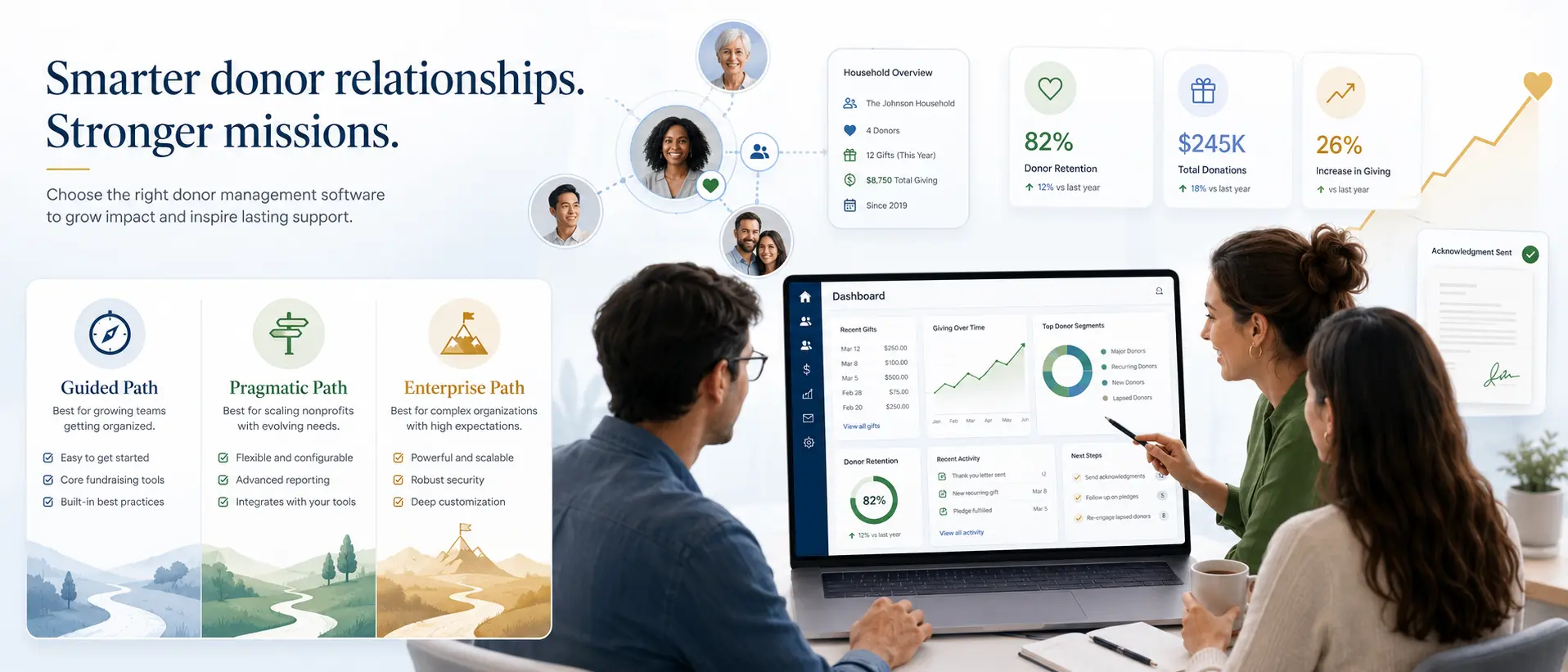
We are focusing on three main paths: Bloomerang (the guided path), Little Green Light (the pragmatic path), and Salesforce NPSP (the enterprise path).
1. Bloomerang
Best for: Organizations that prioritize donor retention and want an out-of-the-box system that forces best practices.
- This works when: You have a small development team that needs the software to act as an extra staff member, reminding you who to call and when.
- It fails when: You have highly complex, multi-entity relationships that require deep custom object mapping.
Implementation reality: Fast. You can usually spin this up and start logging donations within a few weeks. The UI is opinionated and built for fundraisers, not database admins.
Pricing friction note: Watch out for the percentage cuts. Bloomerang's pricing scales with your database size, but the real friction point is payment processing fees if you use their native forms. Ensure you understand the effective rate of every dollar processed.
2. Little Green Light (LGL)
Best for: Budget-conscious nonprofits that need robust householding and flexibility without enterprise overhead.
- This works when: You need a highly capable, affordable system and have a team member willing to learn a slightly dated but incredibly powerful interface.
- It fails when: Your team requires modern, slick UX and drag-and-drop workflow builders to get anything done.
Implementation reality: Moderate. LGL gives you a lot of power, especially around custom fields and complex householding, but it requires thoughtful setup. It won't hold your hand as much as Bloomerang.
Pricing friction note: LGL is transparent and refreshingly flat. You pay based on record count, not user count. No hidden implementation fees, but you'll likely need a consultant if your data is messy.
3. Salesforce NPSP (The Free Software Trap)
Best for: Large organizations with dedicated IT budgets that need a highly customizable, integrated ecosystem.
- This works when: You have complex, multi-faceted operations (e.g., managing programs, grants, and donors in one system) and the budget to maintain it.
- It fails when: You are a mid-sized nonprofit lured in by the "10 free licenses" promise.
Implementation reality: Brutal. This is the **Free Software Trap **. Salesforce NPSP is free like a puppy is free. You will pay zero dollars for licenses and tens of thousands of dollars to an implementation partner to make it usable. If you don't have a Salesforce admin on staff or on retainer, do not choose this path.
Pricing friction note: The initial licenses are free, but the cost of ownership (consultants, AppExchange add-ons for simple things like email marketing, and admin salaries) makes it the most expensive option on this list.
Metrics that prove value
If you are trying to build a business case for a new donor CRM, track these metrics:
- Hours saved per week on manual tax-receipt generation.
- Reduction in duplicate records created per month.
- Increase in donor retention rate (especially first-time to second-time donor conversion).
- Decrease in time-to-acknowledgment (days between gift receipt and thank you letter sent).
Decision framework: Default and fallback paths
- The Default Path: If you have a budget of $2k-$5k/year and want a system that actively helps you retain donors with minimal setup, choose **Bloomerang **.
- The Fallback Path: If budget is your primary constraint but you still need robust householding and compliance, choose **Little Green Light **.
- The Enterprise Path: Only choose Salesforce NPSP if you have $20k+ for implementation and a dedicated admin.
Quick next action
Rope in your requirements before the demos rope you in.
- Map out your current householding edge cases (e.g., "John and Jane Doe, but Jane's company matches, and John has a donor-advised fund").
- Document your exact tax-receipt compliance process.
- Bring these specific scenarios to the vendor demos and ask them to show you—not tell you—how their software handles it natively.
If they can't show you, walk away.
If this saved you time or helped you make a better buying decision, you can support the work.
Support the WorkNo PayPal account needed.